Project Manifest
The Project Manifest is a critical component of your application setup. It contains essential information such as version details, dependencies, frameworks, and the tools required for your project to run correctly. Keeping this manifest updated ensures smooth maintenance, accurate configurations, and reliable execution across all environments.
Kavia allows you to view, regenerate, and update your manifest directly within the Project section. Follow the steps below to manage your manifest effectively.
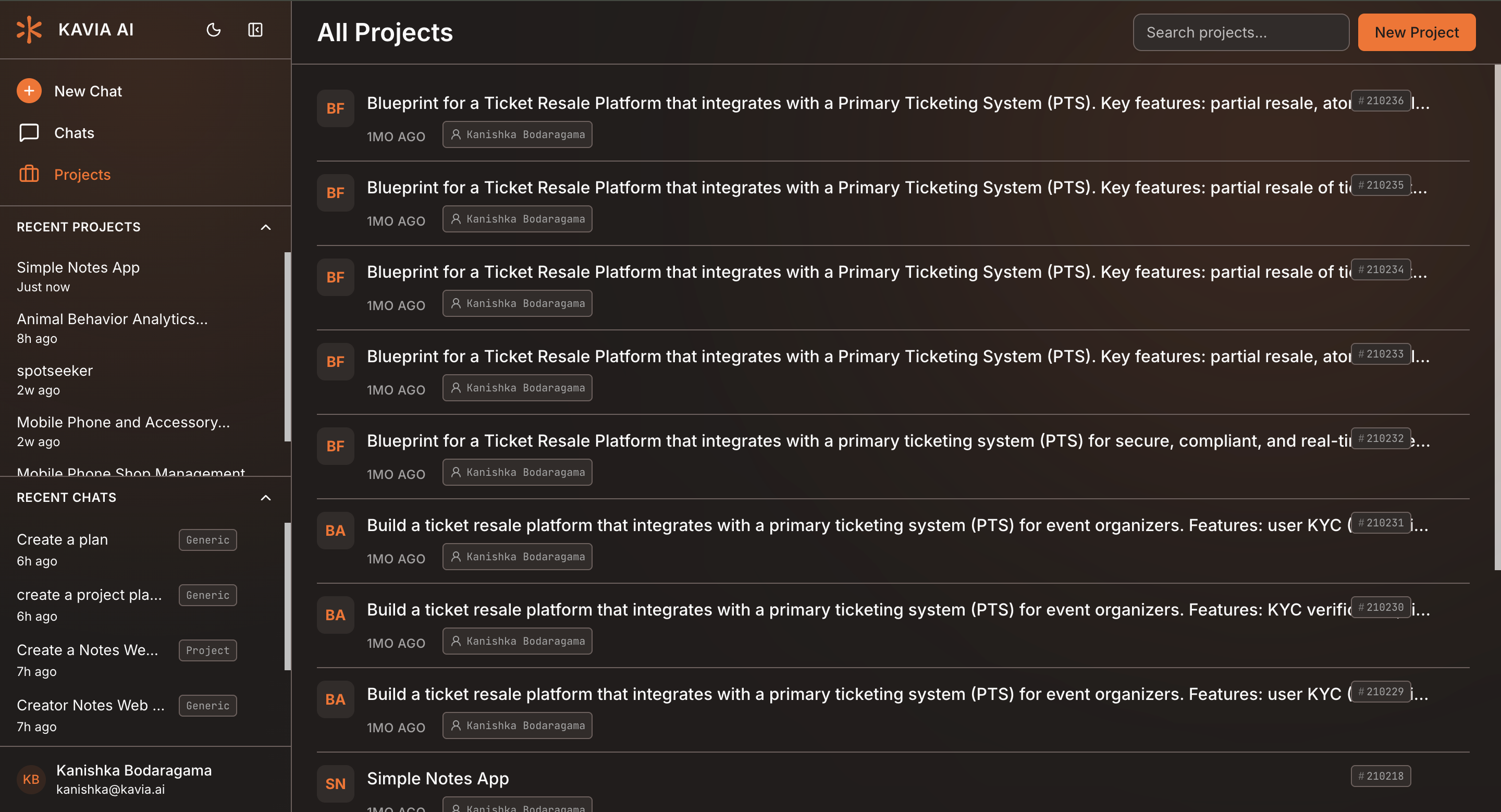
Open Your Project
Navigate to the Project section and select the project you want to manage from the list.
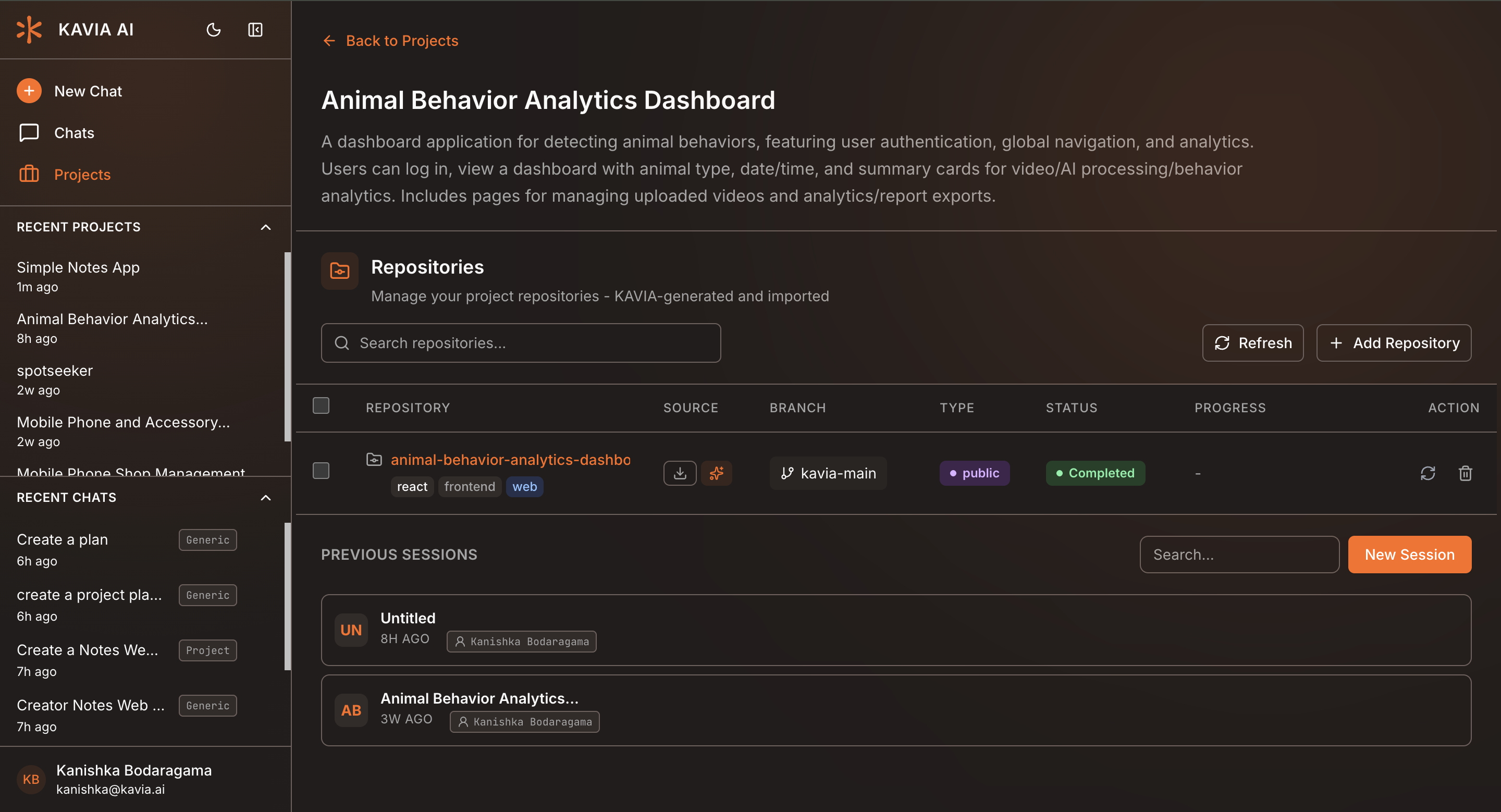
Start a Maintenance Session
Inside the project workspace, review the linked repositories.
Click on a previous session to open a code maintenance session for that project.
Access the Manifest and Review the Manifest Overview
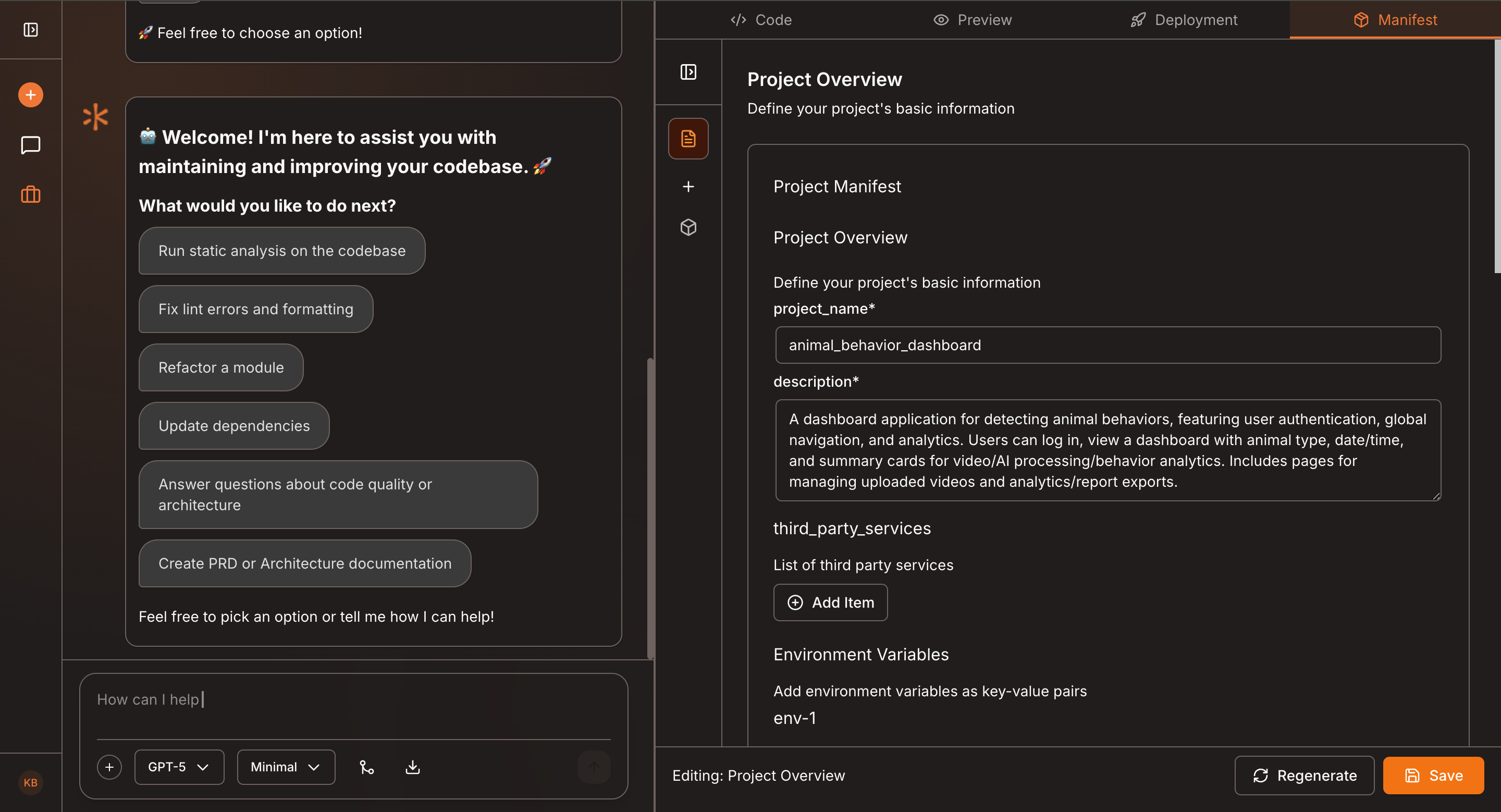
At the top of the session interface, click Manifest to open your project’s manifest file.
The manifest displays key information including:
- Project versions
- Required libraries and dependencies
- Tools and system configurations
- Metadata and runtime requirements
Review this information to ensure everything aligns with the latest state of your project.
View Project Containers and Select a Container
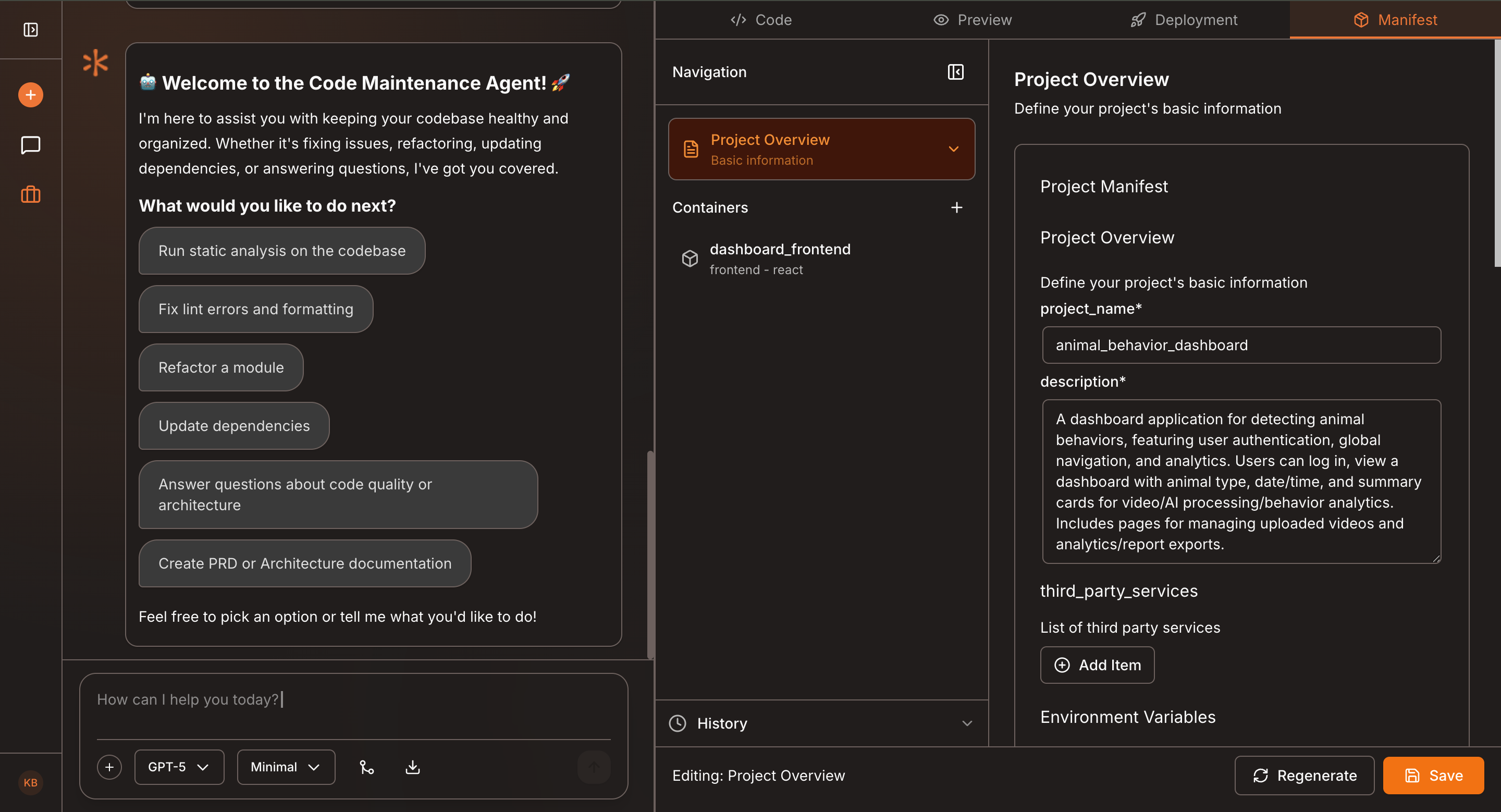
Open the sidebar to see all containers associated with your project.
Containers represent services, components, or modules your application depends on.
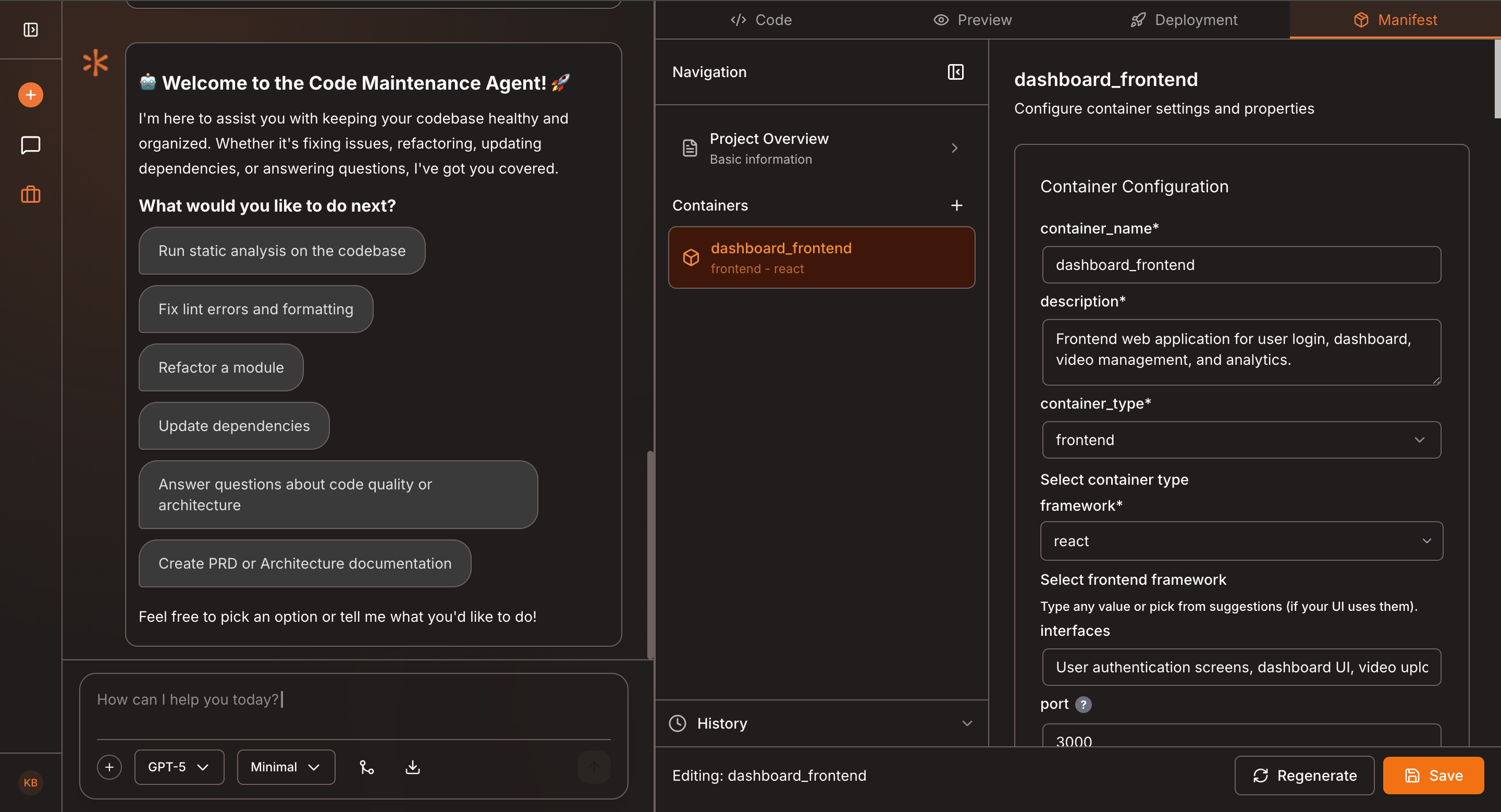
Click on any container to view detailed information, such as:
- Container name and type
- Frameworks and technologies used
- Code structure and configuration
- Metadata and environment details
This helps you verify that the manifest aligns with the current container setup.
Regenerate the Manifest
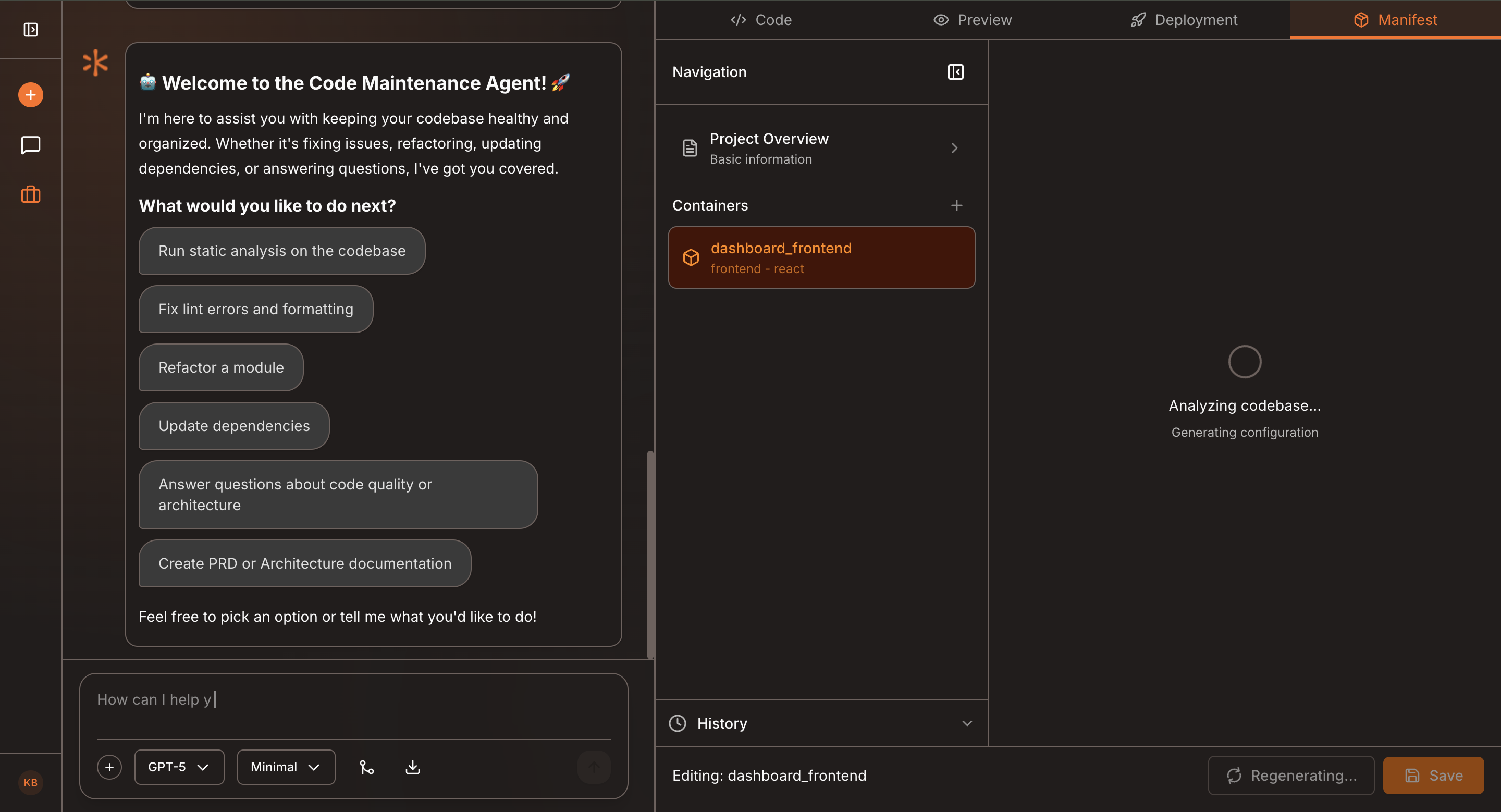
Scroll to the bottom of the manifest panel and click Regenerate.
Kavia will recreate the manifest using the latest project structure, configurations, and dependencies. This ensures the manifest remains accurate and synchronized with your project’s latest state.
Save Changes
After regeneration, click Save to apply your updates.
Your manifest will now reflect the corrected and refreshed configuration.
Why Manifest Maintenance Matters
Keeping your manifest updated provides several benefits:
- Prevents dependency mismatches
- Ensures consistent builds and deployments
- Helps collaborators understand project structure
- Reduces runtime issues caused by outdated configurations
- Improves system reliability and maintainability
Regularly regenerate and review your manifest—especially after adding new dependencies, updating frameworks, or modifying containers.