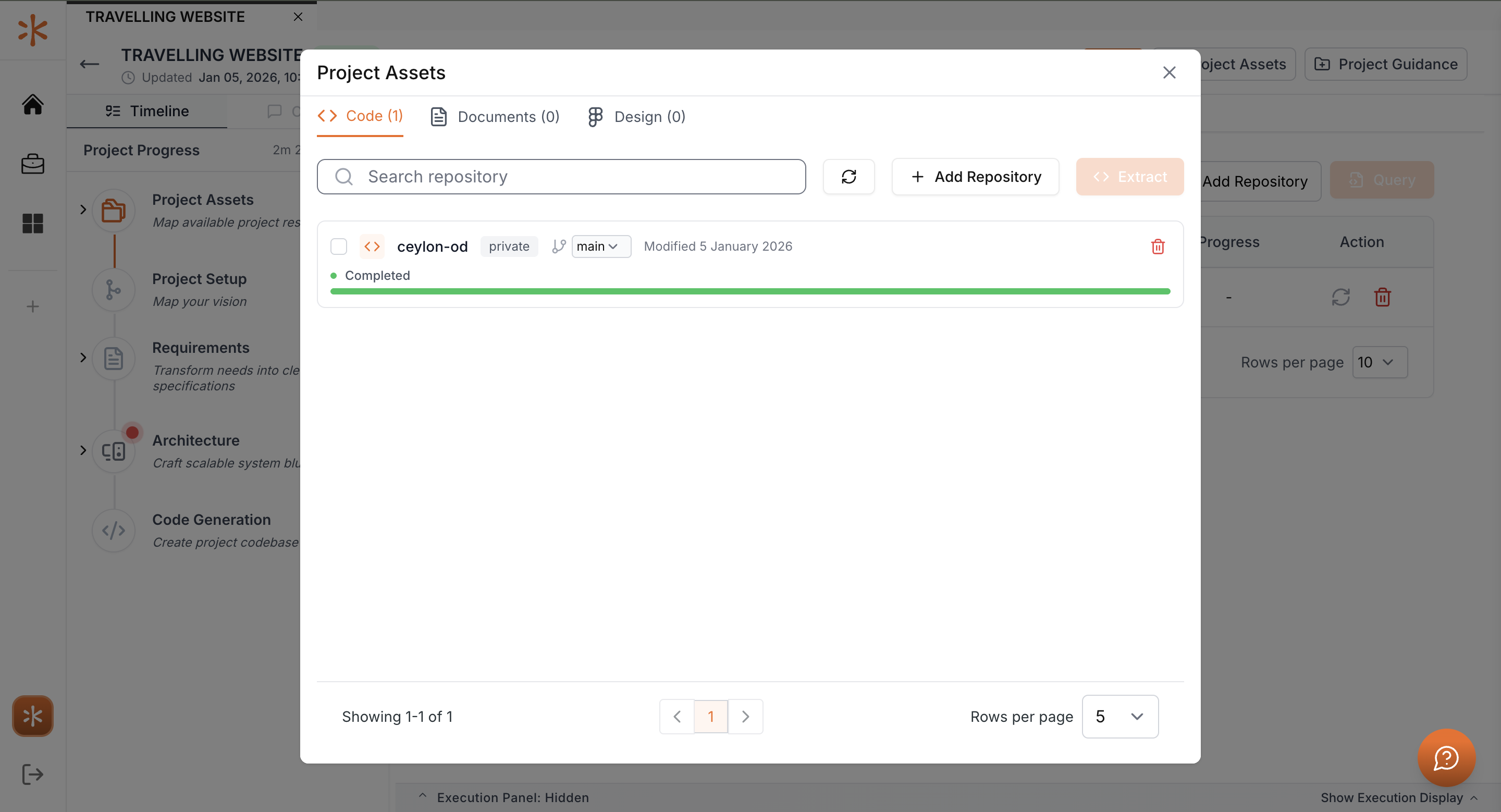
Project Extraction
Project Extraction allows you to import an existing code repository into Kavia and automatically extract its structure and components. This feature helps you quickly onboard existing projects, understand their architecture, and prepare them for analysis, maintenance, or further development within Kavia.
Follow the steps below to extract a project into Kavia.
Access Import Project
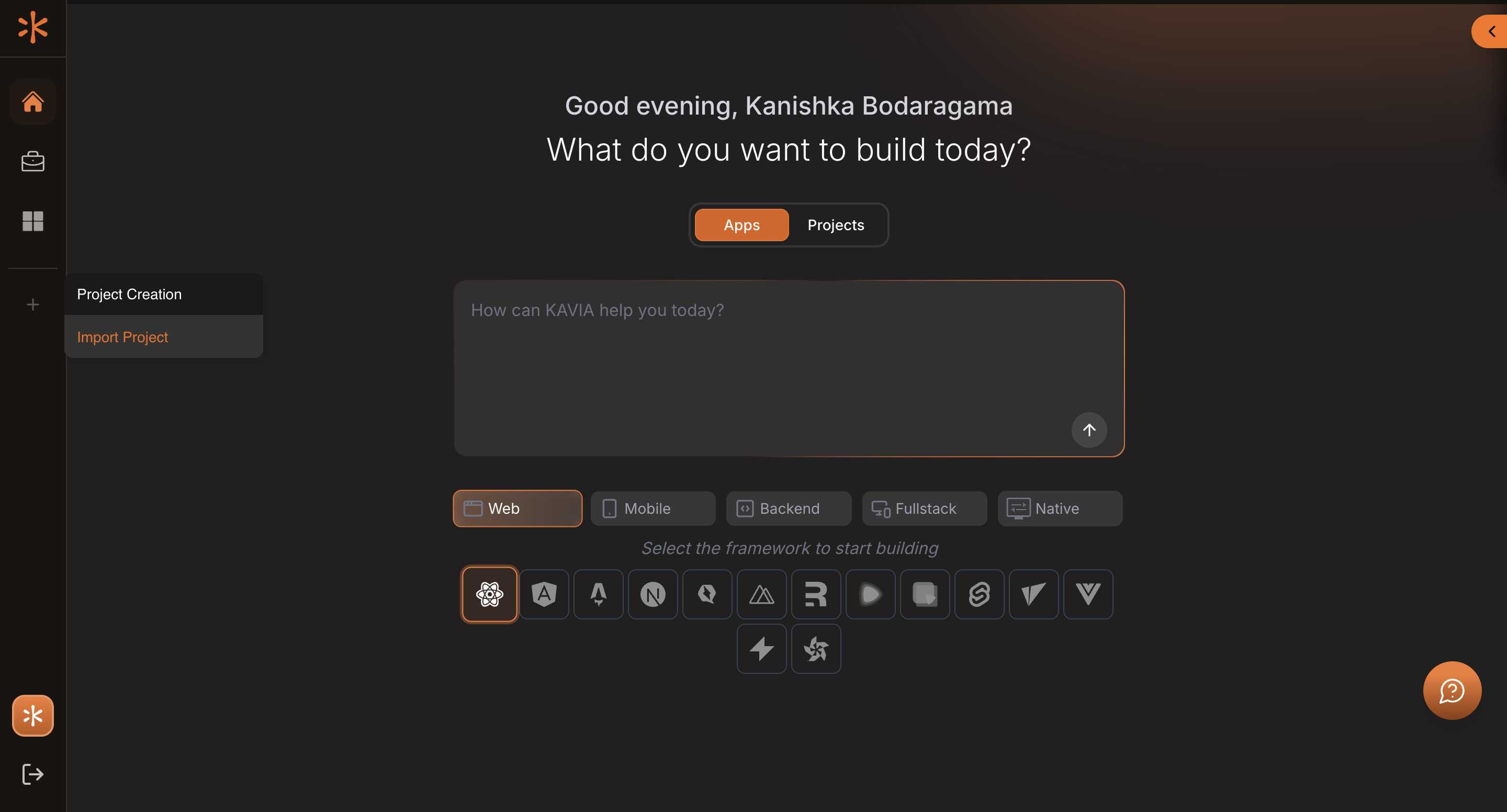
Log in to Kavia and navigate to the Home page.
In the left sidebar, hover over the Plus (+) icon and click Import Project.
Enter Project Details
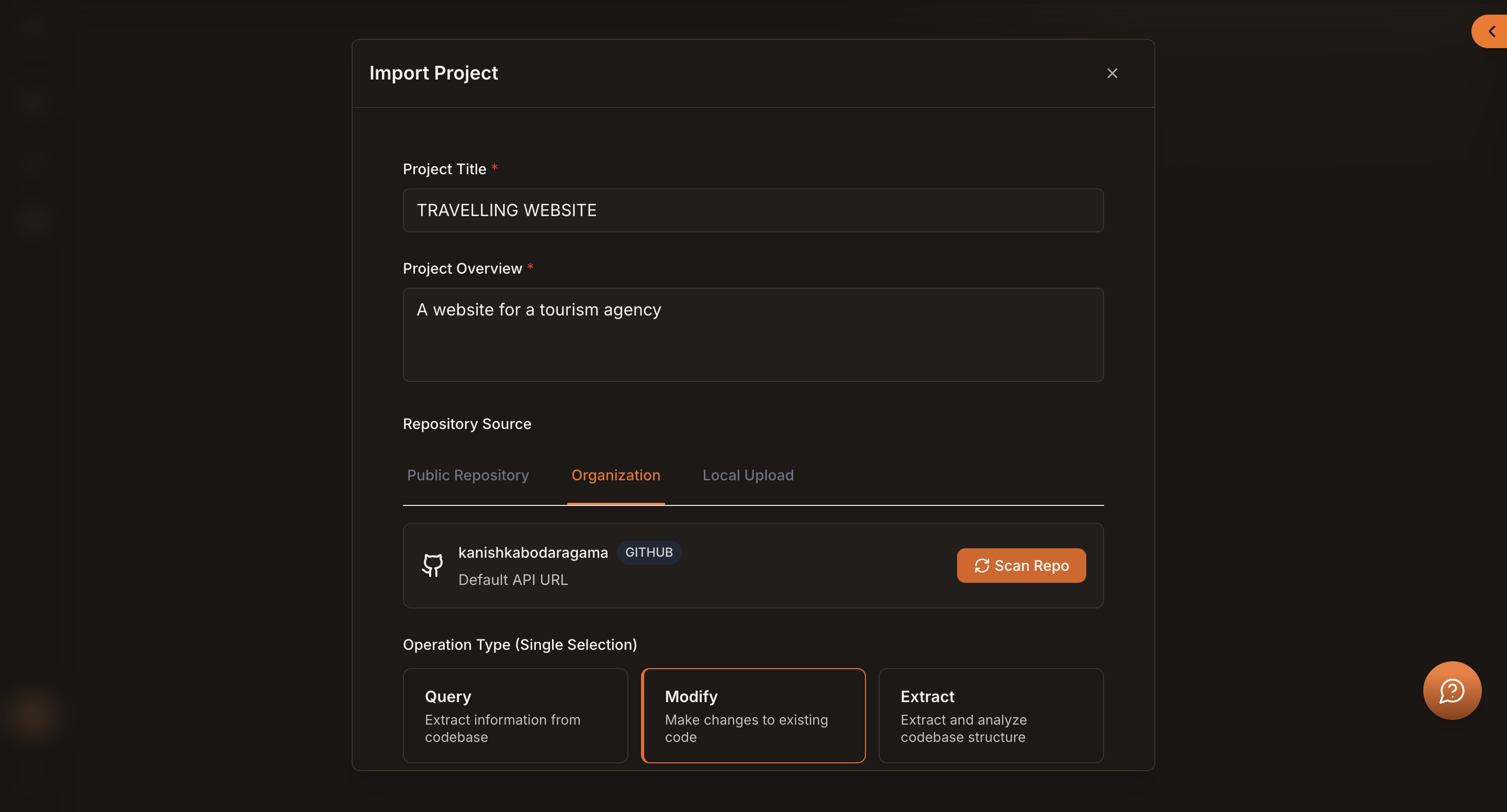
A popup window will appear.
Fill in the required project details and scroll down to the Repository Source section.
Add Your Repository
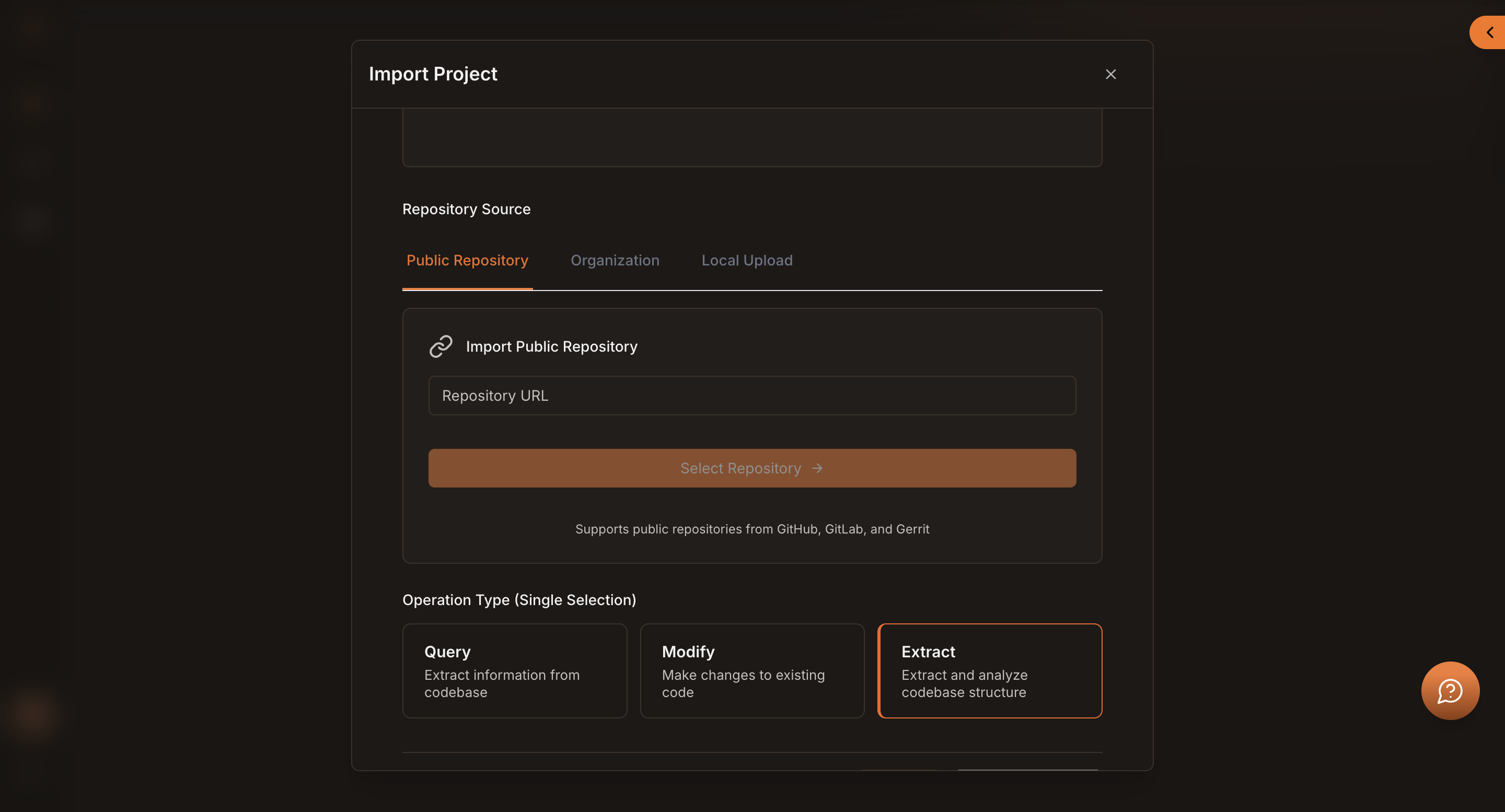
Kavia supports multiple ways to add a repository:
- Public Repository URL
Paste the link of a public repository.
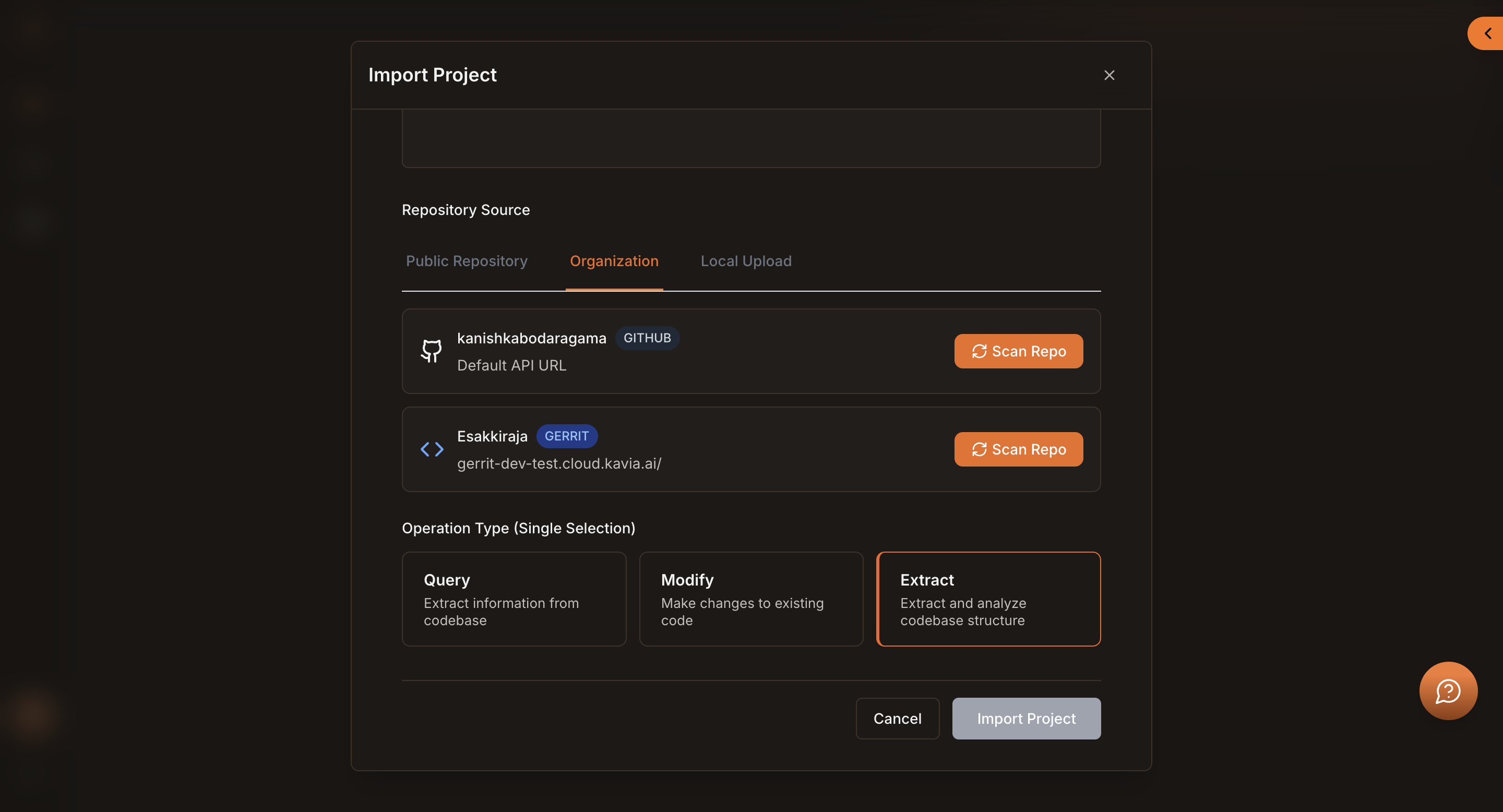
- Organization (GitHub Account)
Select an available GitHub organization or connected account.
Click Scan Repo to allow Kavia to fetch and list all repositories available under that account.
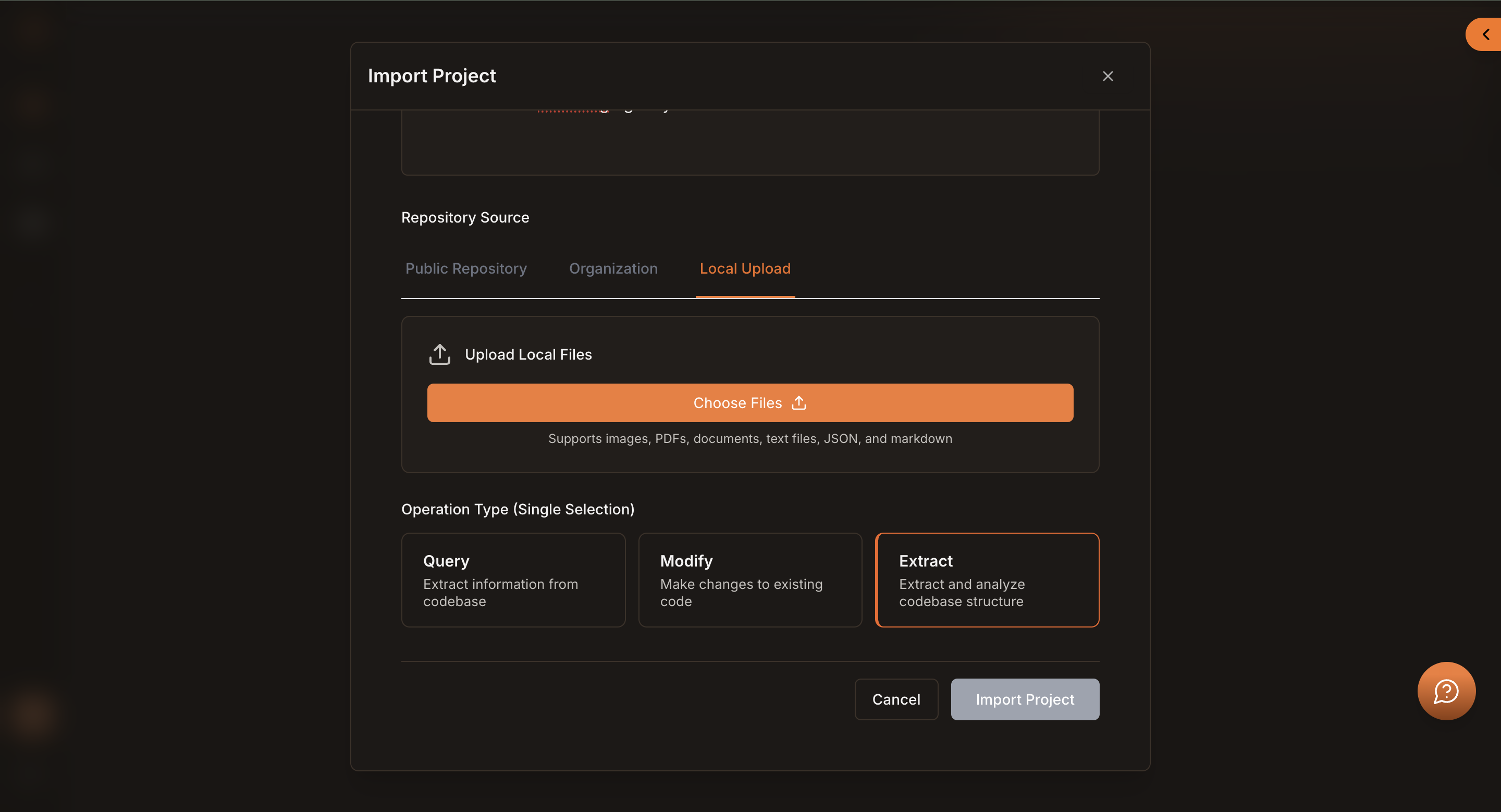
- Local Upload
Upload a repository directly from your local machine.
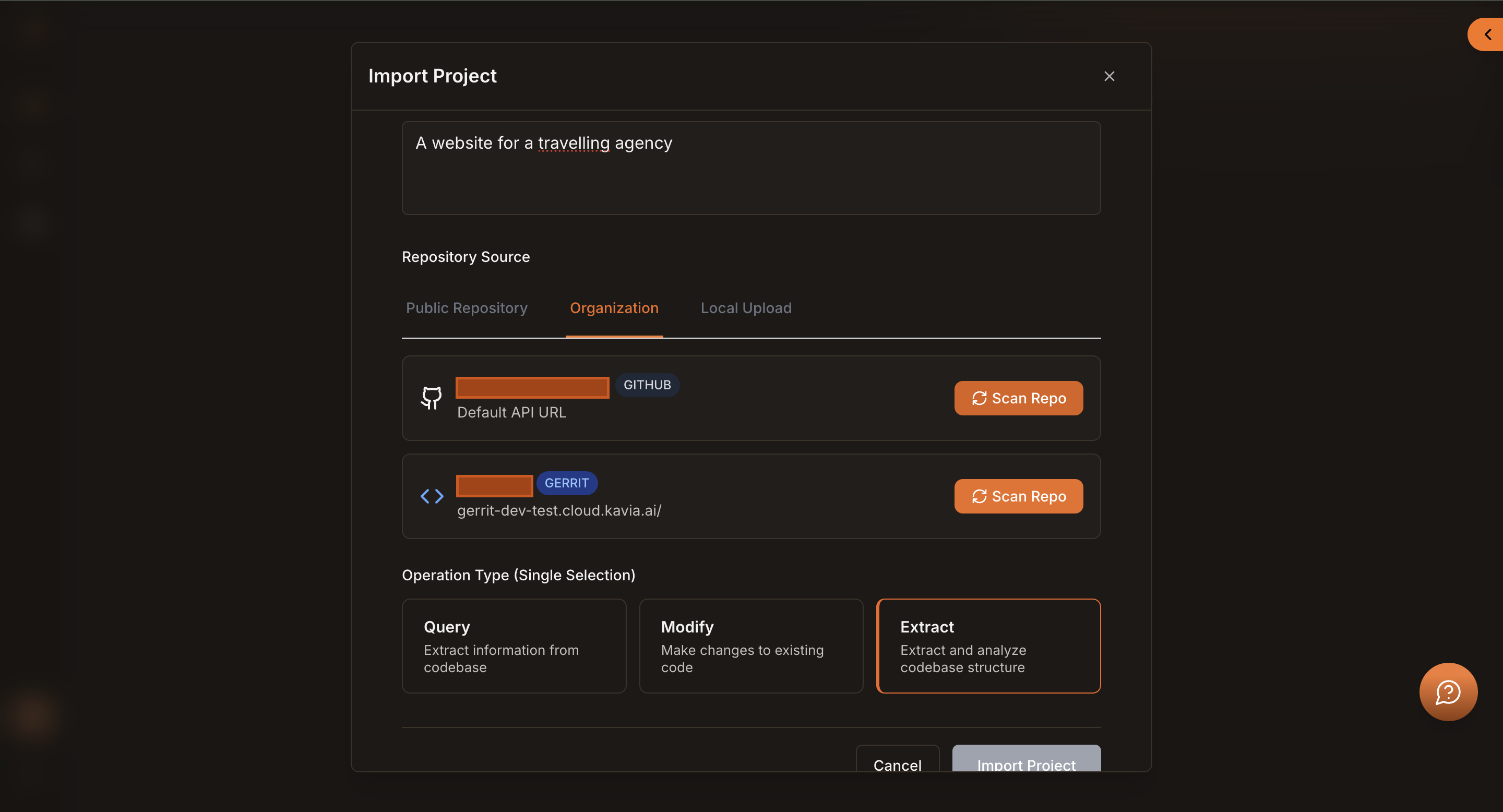
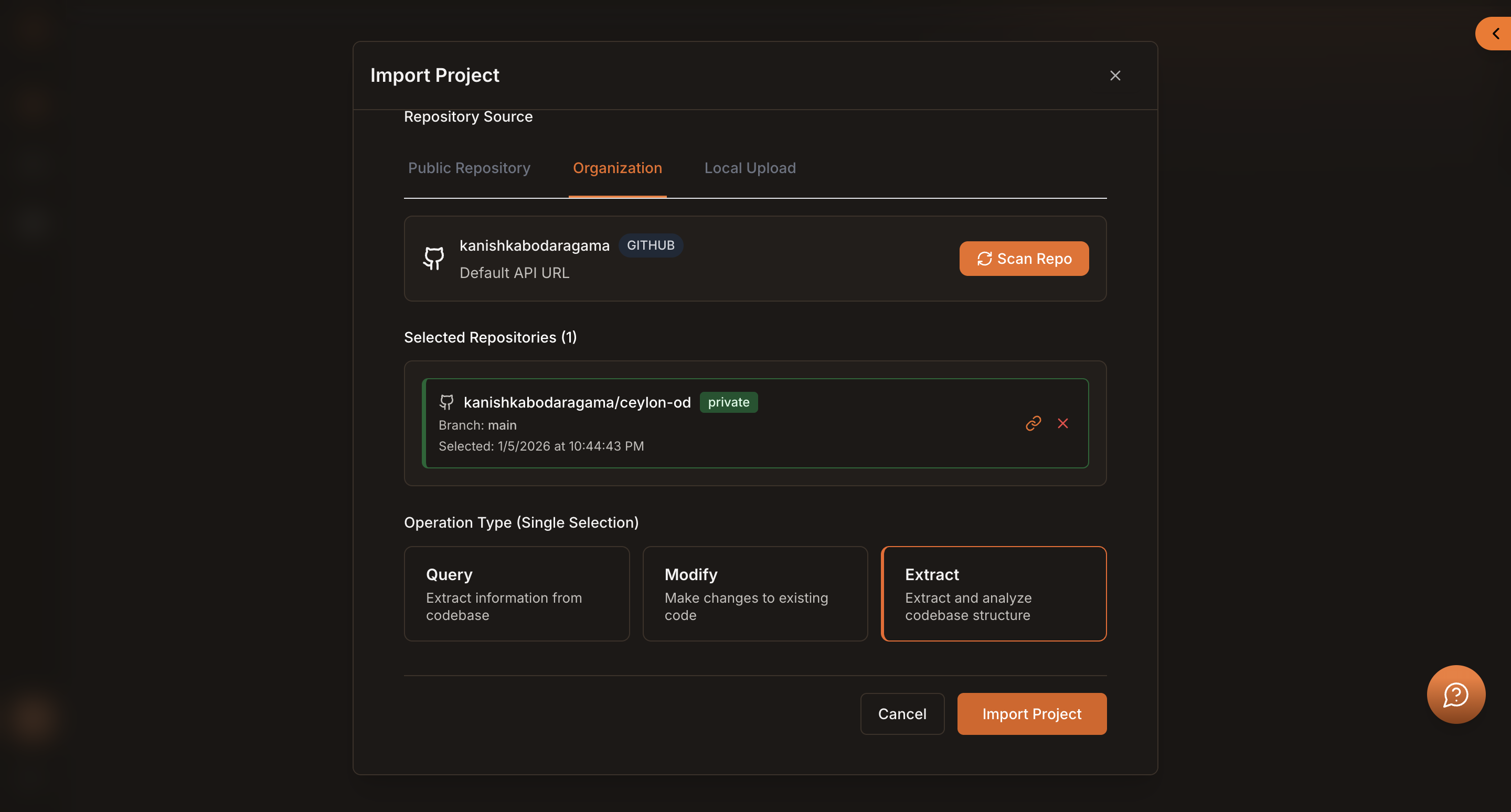
For this project, select the Organization option under Repository Source.
Choose the integrated GitHub account you want to use, then click the Scan Repo button located next to the selected GitHub profile. Kavia will scan the account and list all available repositories.
Select the Repository
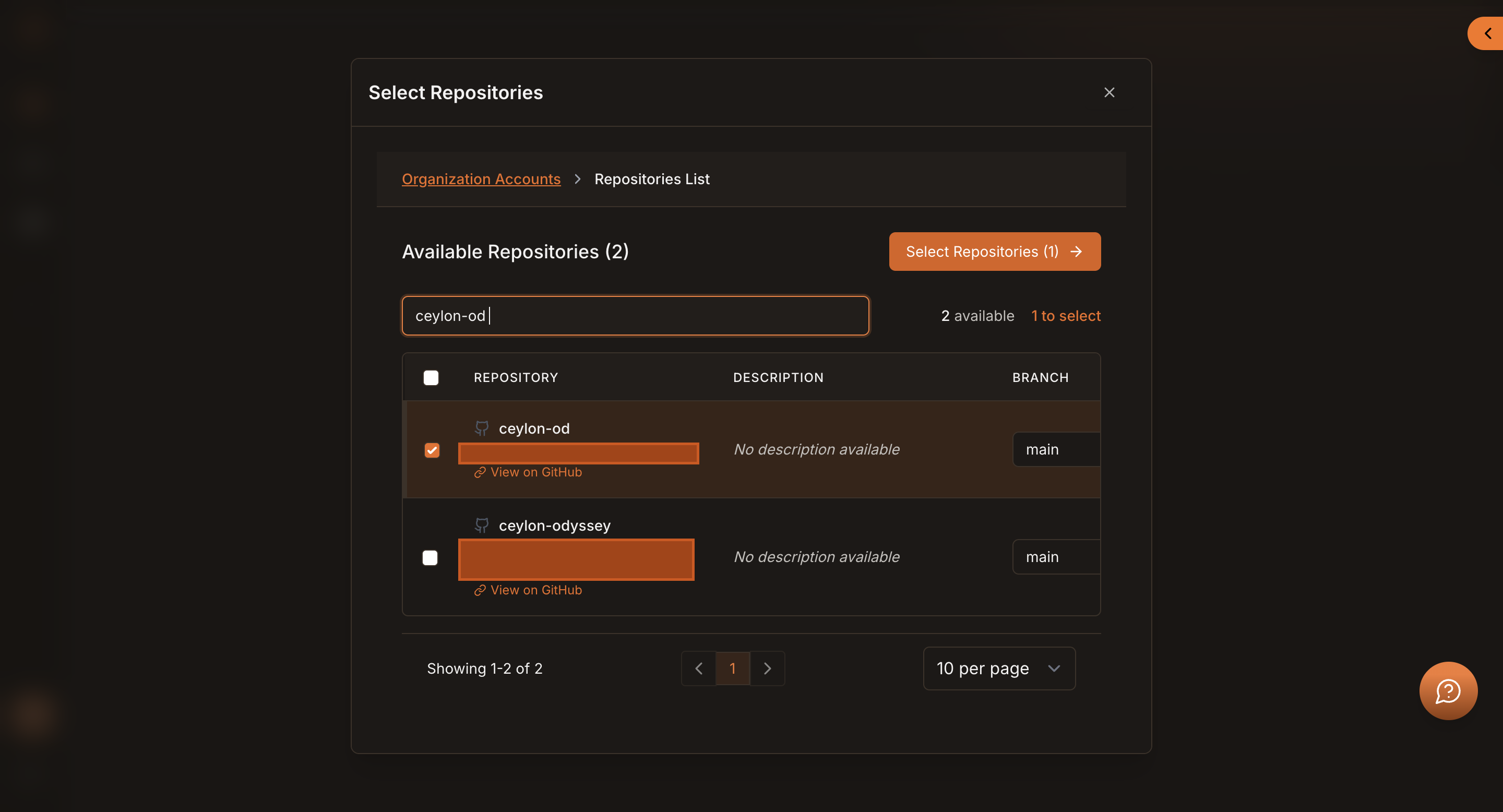
For this project From the list of available repositories:
- Use the search bar to quickly find your repository.
- Select the repository you want to extract.
Once selected, click Select Repositories.
This button displays the number of repositories currently selected.
Choose Operation Type
Scroll down to Operation Type (Single Selection).
- Select Extract as the operation type.
This tells Kavia to analyze and extract the project structure rather than performing other operations.
Import the Project
Click Import Project to begin the extraction process.
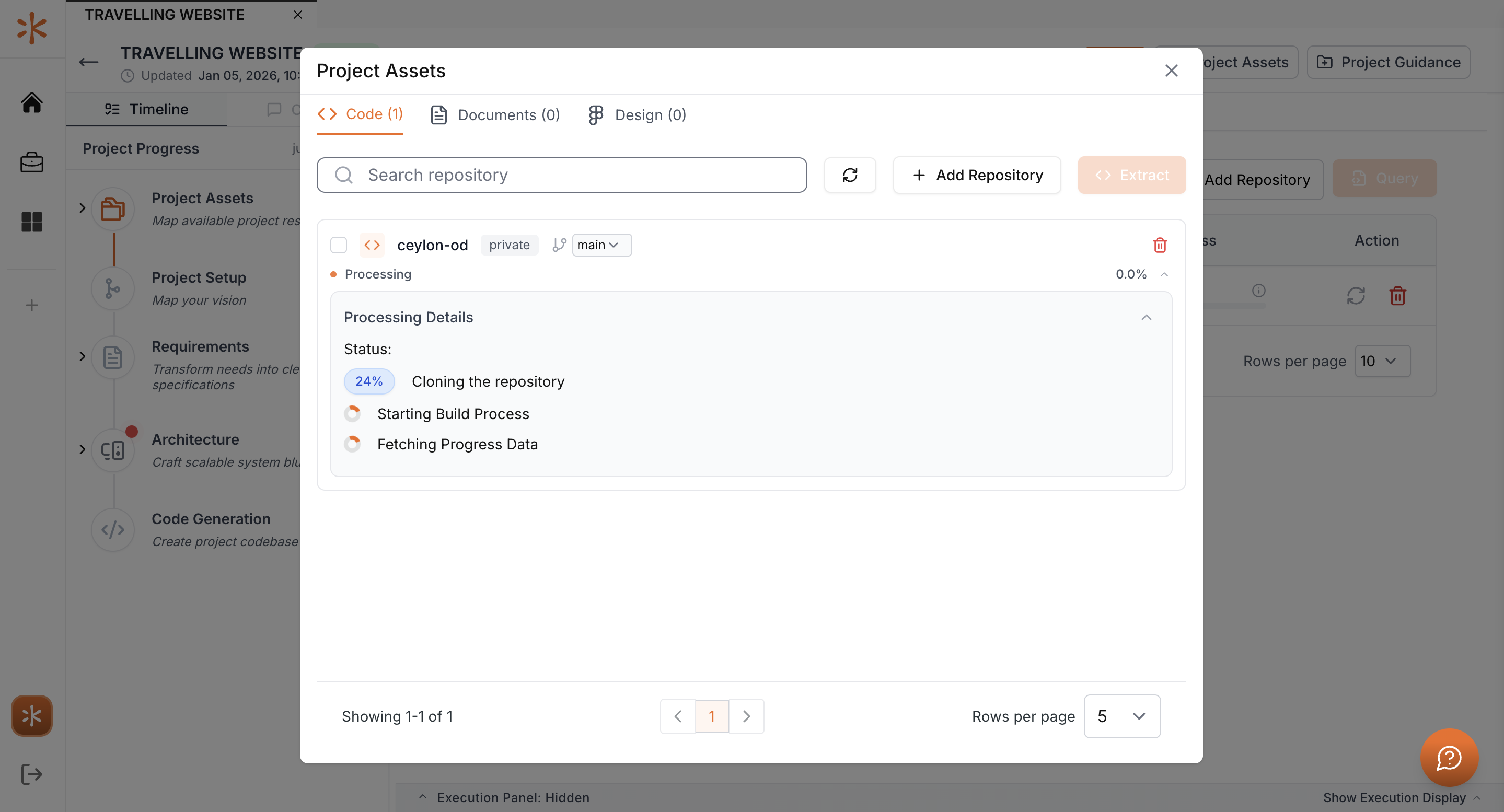
A new window will open, showing the project extraction progress as Kavia scans and processes the selected repository.
Extraction in Progress
Kavia will now:
- Analyze the repository structure
- Identify key components and files
- Extract all the project data
Once completed, the extracted project will be available within Kavia for further analysis, maintenance, or collaboration.